multitenant
Convert Non-Container Database to a Pluggable Database in Oracle 19C
prayank waluskar
Converting a non-container database (non-CDB) to a pluggable database (PDB) is a common migration path in Oracle Database 12c and later. The strategic goal is to move the standalone database into a Container Database as a pluggable database, enabling centralized management, consolidation, and simplified patching.
Below is the step by step demo of converting a traditional non-container database (non-CDB) into a pluggable database (PDB) using the DBMS_PDB.DESCRIBE utility. This method is commonly known as the XML Plug/Unplug Method and is one of the most reliable approaches for migrating databases into the multitenant architecture.
High level steps :
- Verify Source Database and open it in Read Only Mode
- Generate XML Manifest File
- Check Plug Compatibility on target DB
- Plug the non-CDB into a Container Database (CDB)
- Run Oracle conversion scripts to Convert the DB into a PDB
- Verify the newly created PDB
Process Flow :
NON-CDB (OLDDB)
      |
      | DBMS_PDB.DESCRIBE
      v
XML Manifest File
      |
      | CREATE PLUGGABLE DATABASE
      v
PDB inside CDB19
      |
      | noncdb_to_pdb.sql
      v
Fully Functional PDB
Prechecks :
- Source Non-CDB is up and running fine
- Target CDB already created
- Compatible character set
- Sufficient storage available for new PDB
Step 1: Verify Source Database is Non-CDB
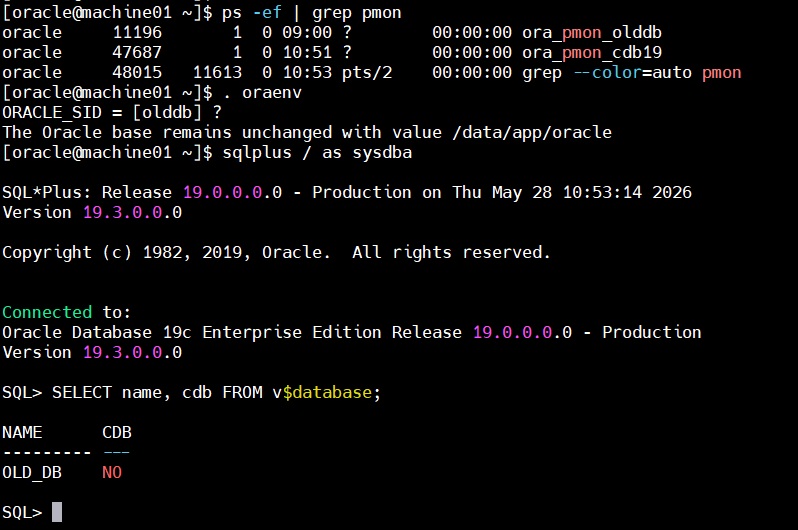
Here, we have checked that source database is up and running. And, it is not a Container database.
Step 2: Open Database in Read Only Mode
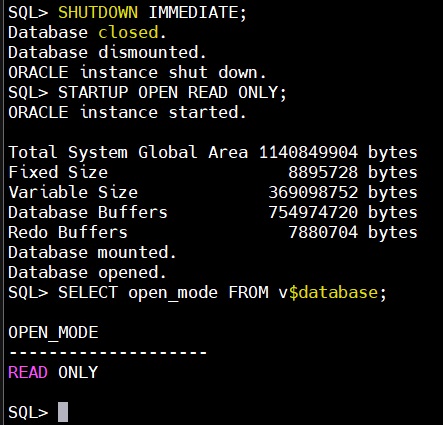
Now, we have opened the source DB in READ ONLY mode.
Step 3: Generate XML Manifest File
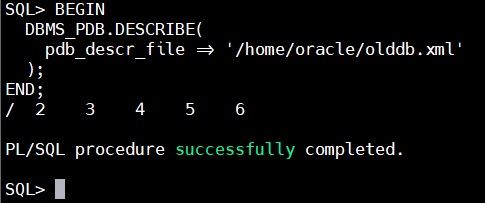
This creates the XML manifest file required for plugging into the CDB.
Step 4: Connect to Target Container Database
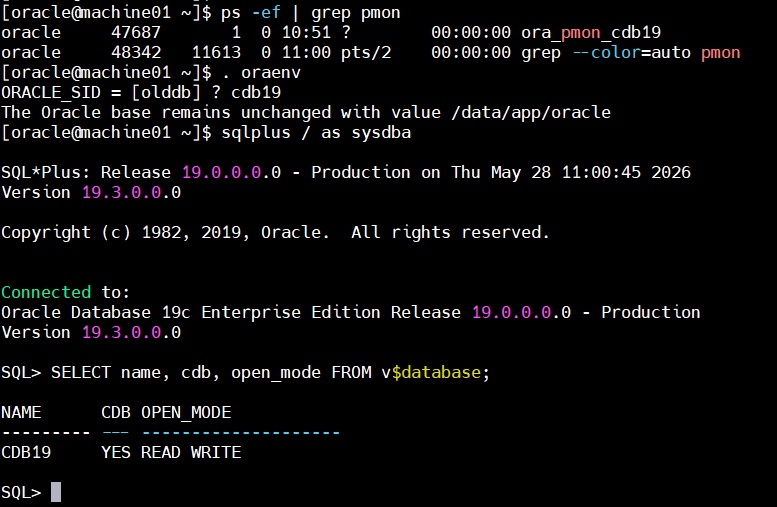
Step 5: Check Plug Compatibility
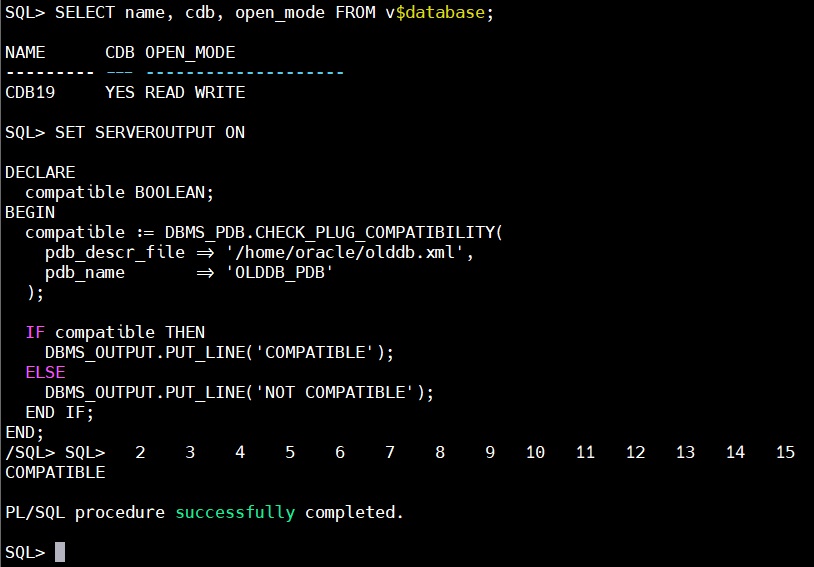
The database is compatible and there is no Plug-In Violation
Step 6: Create Pluggable Database
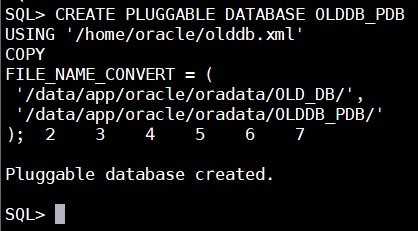
The Pluggable database “OLDDB_PDB” is created.
Step 7: Open the New PDB
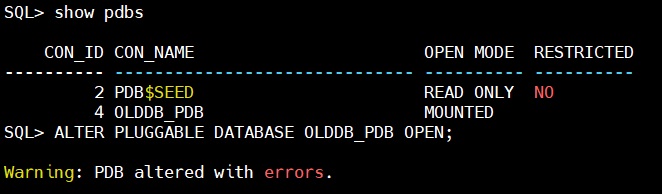
This is actually a good sign — our PDB opened successfully in READ WRITE mode. And, it is very common after non-CDB to PDB conversion. Now, we will convert the database to work as a pluggable database in next step.
Step 8: Switch to the PDB and run Conversion Script
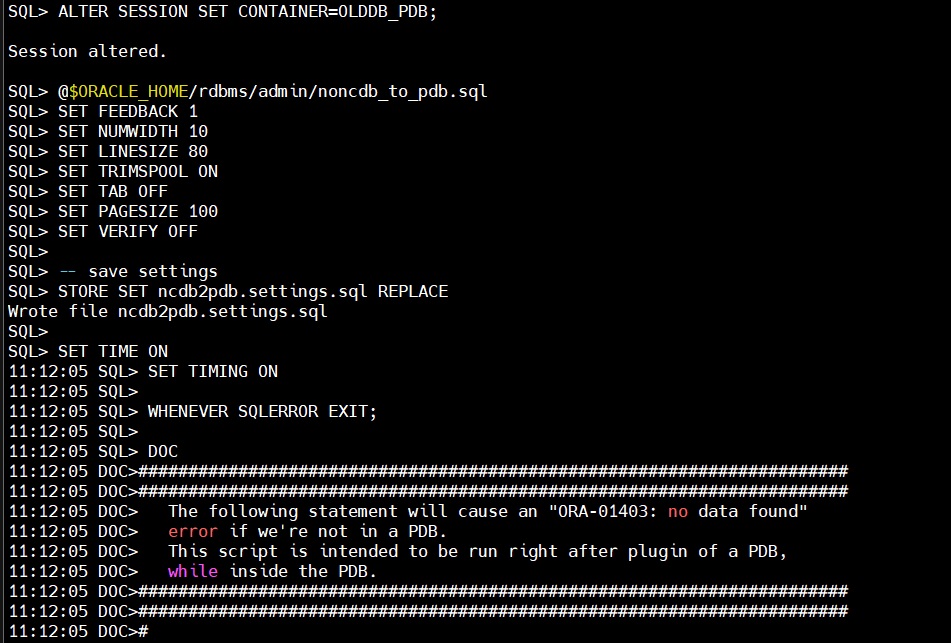
The process will take significant time to complete the execution. Once it is completed we will restart the database.
Step 9: Restart the database
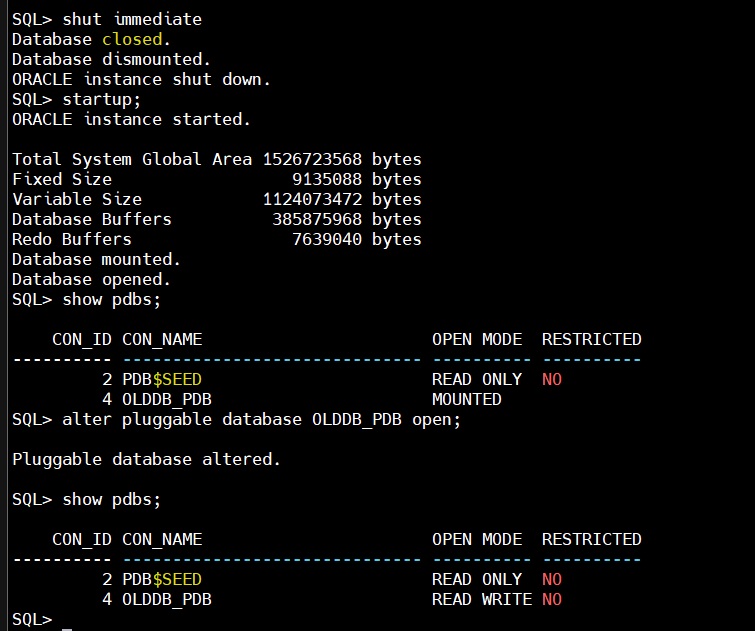
Step 9: Save PDB State

The non-cdb database has been converted to pluggable database now successfully.