True Cache and Steps to configure true cache
Introduction :-
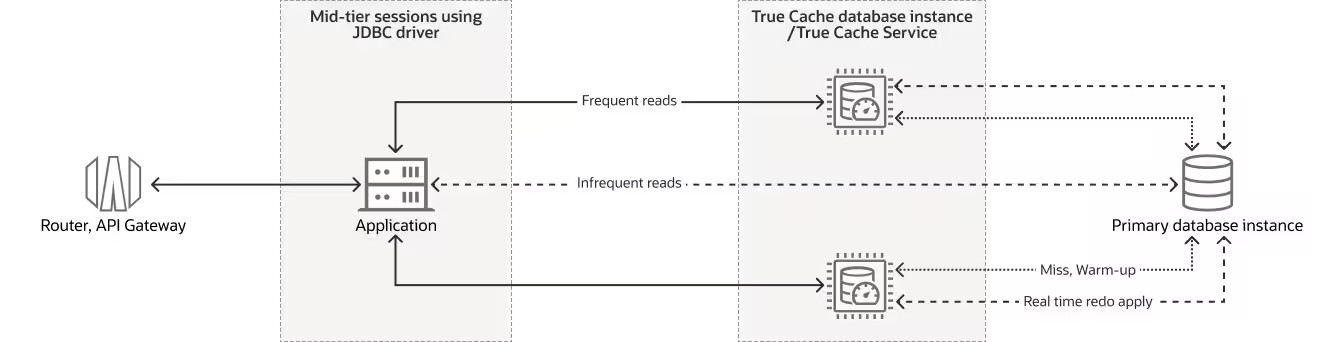
True Cache is a fast, in-memory cache that sits in front of an Oracle database. It is read-only, meaning it is used only to read data, not change it.
Like Oracle Active Data Guard, True Cache works as a read-only copy of the main database. The difference is that True Cache mostly runs in memory and does not rely on disk storage, which makes it very fast.
Modern applications usually have many users and need quick access to data. Since most applications read data more often than they update it, placing a cache in front of the database helps reduce load and improve performance.
Unlike basic caching systems, True Cache automatically keeps the most frequently used data in memory. It also makes sure the data stays up to date and consistent with the main database, with other data in the same cache, and with other True Cache instances.
Oracle True Cache: Key Advantages
Oracle True Cache helps applications run faster and scale better.
It improves performance by moving many read requests away from the main database.
It makes applications respond faster and reduces network delays by placing True Cache closer to the application. This is especially useful when the database must be in a different location for legal or data-residency reasons.
It allows a large amount of data to be stored in memory by spreading data across multiple True Cache systems. Together, these caches can hold much more data than a single database or cache.
It automatically keeps the cached data up to date, so no manual work is needed.
It is easy for developers to use because applications do not need to be changed to work with True Cache.
Steps to configure True Cache
Prerequisites
Install the Oracle AI Database software on the True Cache and Primary database nodes.
Verify that the primary database is running with ARCHIVELOG mode enabled.
SELECT log_mode FROM v$database;
LOG_MODE

------------

ARCHIVELOG
Code language: JavaScript (javascript)
Keep LOG_ARCHIVE_CONFIG and LOG_ARCHIVE_DEST_n on the primary database unset. True Cache automatically configures these for the primary database.
Configuration
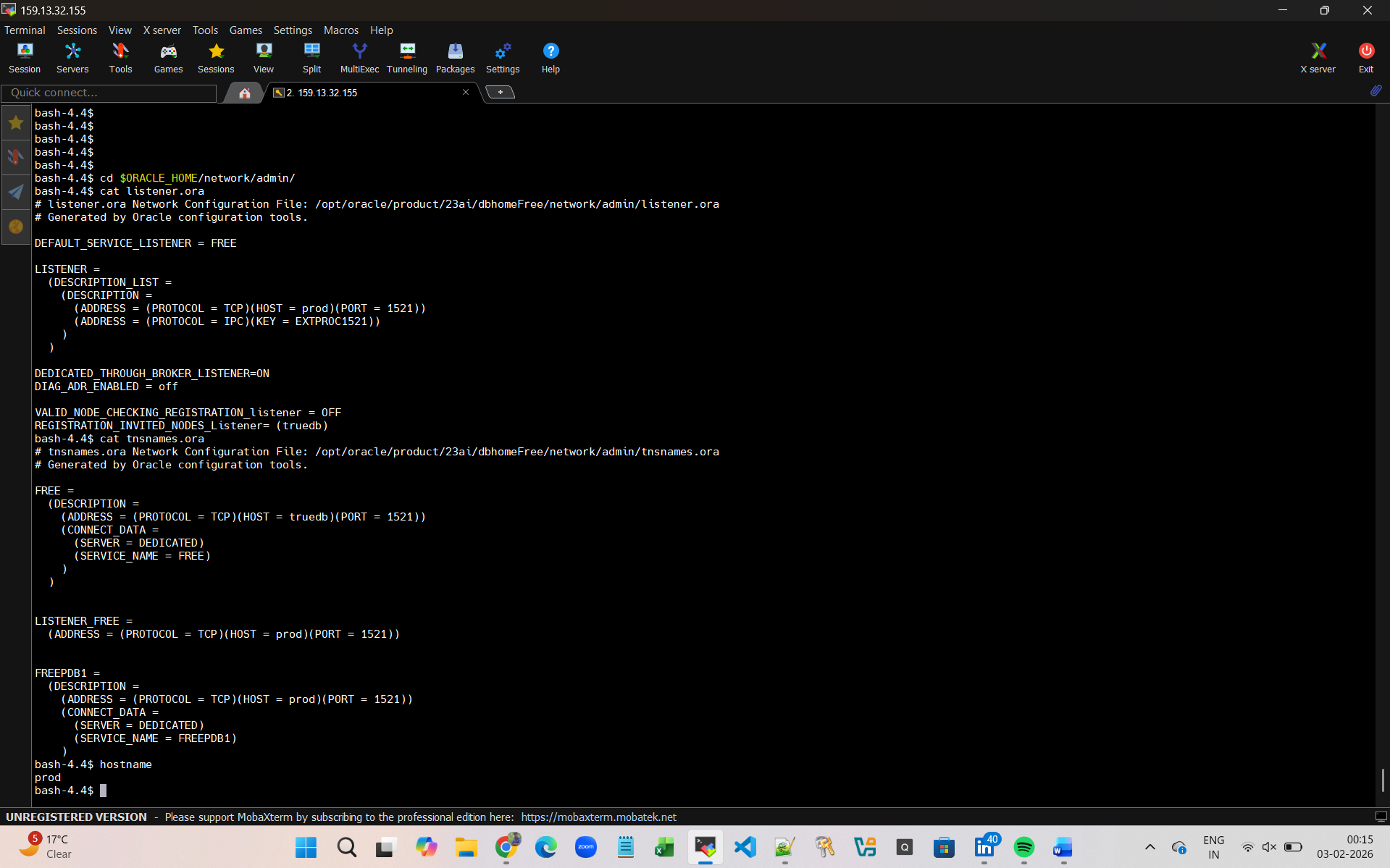
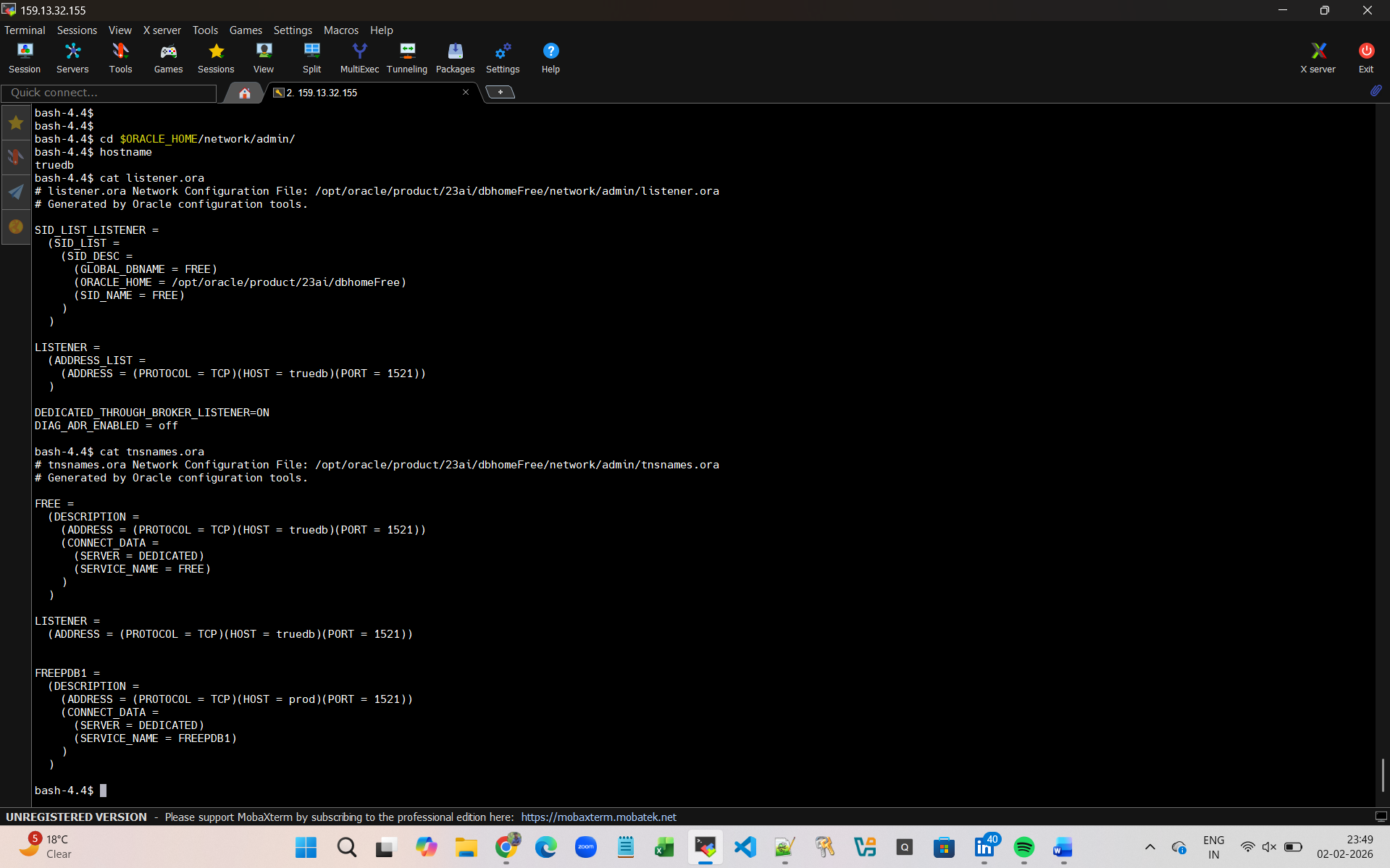
Set the Listener.ora and the tnsnames.ora File for True Cache and the Primary Database
Like :-
Copy the Password File or Wallet from the Primary Database to the True Cache Node
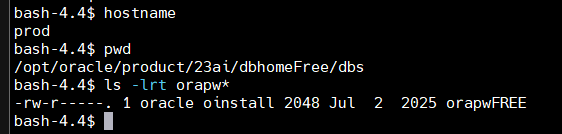
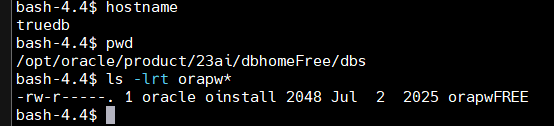
In this example we used below command
scp -p /opt/oracle/product/23ai/dbhomeFree/dbs/orapwFREE truedb:/opt/oracle/product/23ai/dbhomeFree/dbs/orapwFREE
Primary DB :-
TrueCache DB :-
Prepare a PFILE for True Cache
Set Below parameters in PFILE of True Cache instance
true_cache=true
db_name=<database name>
db_unique_name=<specific name for True Cache Instance>
db_files=200
sga_target=20G
fal_server=<primary db unique name>
fal_client= <specific name for True Cache Instance>
instance_name=< specific name for True Cache Instance>
db_create_file_dest=local_directory_on_true_cache_node
local_listener=listener
remote_listener=listener_primary
Create and Start True Cache
Follow these steps to create and start True Cache for the first time.
export ORACLE_SID=<true cache DB unique name>
sqlplus / as SYSDBA
STARTUP NOMOUNT PFILE=$ORACLE_HOME/dbs/init_tcdb1i.ora;
CREATE TRUE CACHE;
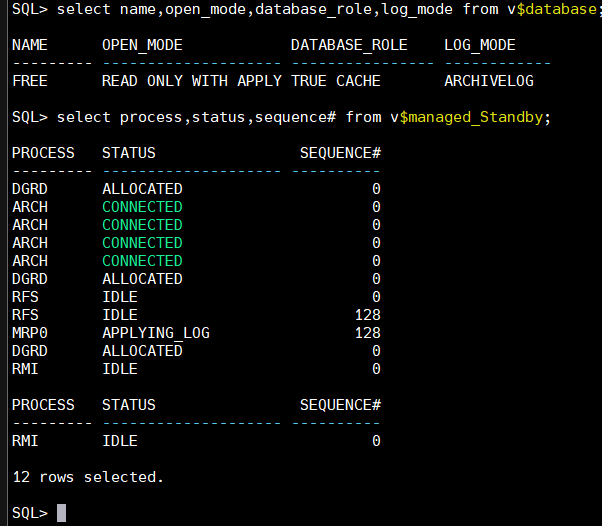
verify that True Cache is working
select decode(gi.inst_id,i.instance_number, ‘*’||gi.inst_id, gi.inst_id) as INST#, decode(INSTR(gi.HOST_NAME,’.’),0,gi.host_name,SUBSTR(gi.HOST_NAME,1,INSTR(gi.HOST_NAME,’.’)-1)) as HOST, gi.instance_name as INST_NAME, gi.status, d.database_role as DB_ROLE, d.open_mode, gi.startup_time from gv$instance gi, v$instance i, gv$database d where gi.inst_id=d.inst_id order by 2;